
How Do I Transfer a Call From My Desk Phone to a Colleague's Mobile?
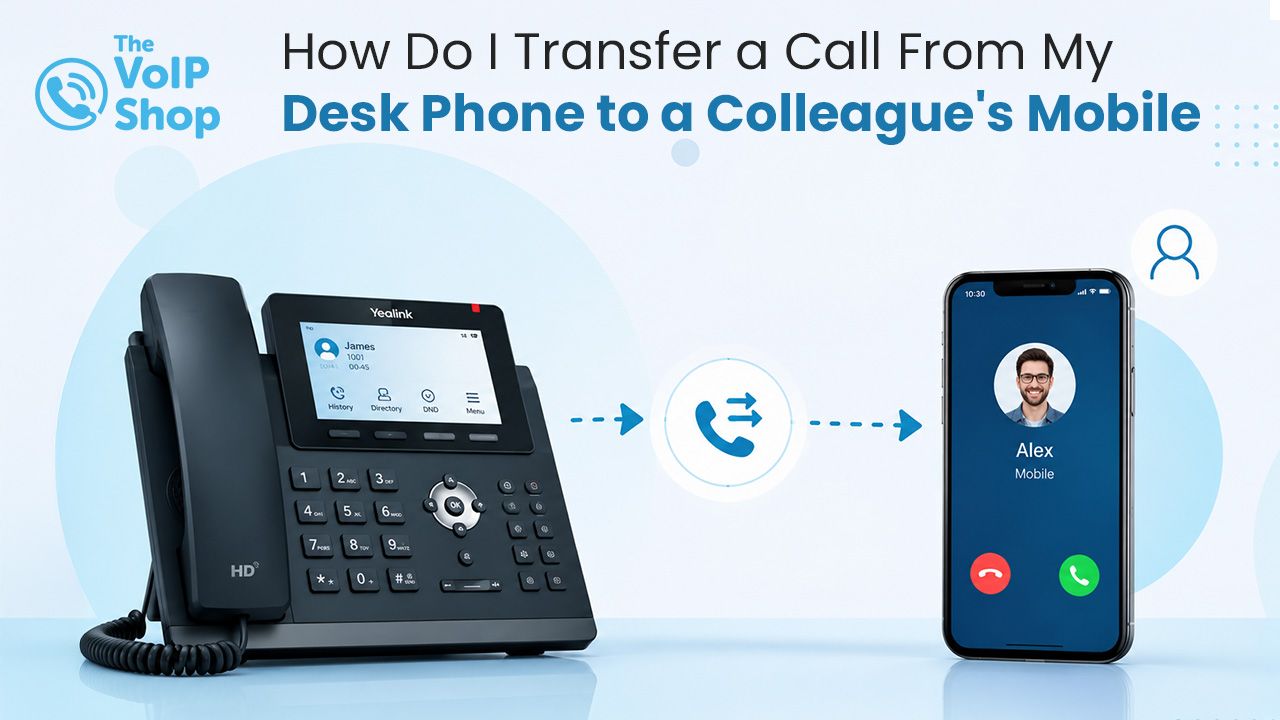
Press the transfer button on your desk phone, dial your colleague's extension, and complete the transfer. Because your colleague's mobile app runs as an extension on the same cloud VoIP system, the process is identical to transferring to another desk phone. You can choose a blind transfer (send the call straight through) or a warm transfer (brief your colleague first, then connect).

About the Author
What Is the Difference Between a Blind Transfer and a Warm Transfer?
| Blind Transfer | Warm Transfer | |
|---|---|---|
| How it works | Forward the call directly, no prior conversation | Put the caller on hold, brief your colleague, then connect |
| Best for | Straightforward transfers where the colleague is expecting the call | Sensitive enquiries, complex issues, high-value relationships |
| Caller experience | Transferred immediately with no context shared | The colleague is already briefed before the caller is connected |
| Your line | Free immediately | Free once the transfer is completed |
Use a blind transfer when the colleague knows the call is coming or the caller asked for them by name. Use a warm transfer when context matters, such as a complaint, a sales lead or a sensitive enquiry, where the colleague benefits from a quick brief first.
How Does Call Transfer Work on VoIP?
Whether your colleague is sitting at a desk in the office or working remotely using a mobile app, they remain part of the same cloud-based phone system. As a result, transferring calls between users follows the same process regardless of location. The system does not treat a mobile app user any differently from a desk phone user, which is what makes desk-to-mobile transfers feel just like desk-to-desk.
How Does a Blind Transfer Work?
A blind transfer sends the caller directly to another extension without speaking to the recipient first. It is useful when the colleague is expecting the call, when the caller has requested a specific person, or when the transfer is straightforward and needs no explanation. Once the transfer is initiated, the caller is sent directly to the destination extension and your line becomes available immediately.
How Does a Warm Transfer Work?
A warm transfer lets you speak with your colleague before connecting the caller. The process is straightforward:
- Place the caller on hold.
- Call your colleague's extension.
- Brief them on the reason for the call.
- Complete the transfer.
This creates a better customer experience because the caller does not need to repeat information, and the recipient already understands the context before answering. Warm transfers are particularly useful for:
- Legal enquiries.
- Medical practices.
- Financial services.
- Customer complaints.
- Sales opportunities.
- Technical support requests.
How Do I Transfer a Call to a Colleague's Mobile Specifically?
In a cloud VoIP system, mobile app users are extensions on the phone system, so calls can be transferred to mobile devices using the same process as a desk-to-desk transfer. Typically:
- Press the transfer button on your desk phone.
- Dial your colleague's extension number.
- If performing a warm transfer, wait for them to answer and provide a brief handover.
- Complete the transfer.
From the caller's perspective, the process is seamless. They may hear hold music briefly before being connected, without ever knowing whether the recipient is using a desk phone, a laptop softphone, or a mobile app. For more on how the mobile app works as an extension, see our mobile VoIP guide.
Can I Move a Live Call Between My Own Devices?
Yes. Many cloud VoIP systems offer a feature known as Call Flip, sometimes called Mobile Twinning. It lets you move an active call between your own devices without disconnecting the caller. For example:
- Start a call on your desk phone.
- Leave the office.
- Move the call to your mobile app.
- Continue the conversation uninterrupted.
This is particularly useful for managers, sales professionals, field-based staff and hybrid workers.
How Do I Find a Colleague's Extension Quickly?
| Feature | What It Provides |
|---|---|
| Company directory | Search for colleagues by name rather than remembering extension numbers. |
| Presence status indicators | See a colleague's current status. |
| Availability information | See whether a colleague is available. |
| One-touch transfers | Transfer calls quickly. |
| Click-to-call functionality | Call a colleague directly. |
What If I Do Not Know Who Should Take the Call?
For situations where you do not know exactly who will take a call, many cloud phone systems include a feature known as Call Parking. Call Parking puts the caller into a temporary holding position that can be retrieved from any extension. It is particularly useful for:
Reception teams.
- Shared office environments.
- Customer service departments.
- Team handovers.
Instead of transferring to a specific person, the call can be picked up by the next available team member.
Can a Call Be Routed to a Whole Team Rather Than One Person?
Yes. If the goal is to make sure any available team member can answer, Ring Groups are the standard solution. A ring group routes a call to multiple users simultaneously or in a predefined order. This can include:
- Desk phones.
- Mobile app users.
- Softphones.
- Remote workers.
The first available person answers, helping businesses stay responsive and reduce missed calls. Out of hours, ring groups work well alongside time-based call routing, so the right team gets the right calls at the right time.
What Does a Desk-to-Mobile Transfer Look Like in Practice?
Imagine a receptionist at a legal firm receives a call from a client asking to speak with their solicitor. The solicitor is away from their desk but is logged into the cloud phone system's mobile app.
The receptionist:
- Checks presence information and sees the solicitor is available.
- Initiates a warm transfer and dials the solicitor's extension.
- The solicitor answers on their mobile device.
- The receptionist briefly explains the reason for the call.
- The transfer is completed.
The client is connected quickly and professionally without needing to know where the solicitor is working from. This is one of the practical advantages of moving to a cloud phone system: staff remain reachable and connected regardless of location.
What Should I Check Before Choosing a Provider?
Most cloud VoIP systems support call transfer, but the depth varies. Key things to check:
- Are both blind and warm transfer included as standard?
- Does the mobile app behave as a full extension for receiving transferred calls?
- Is Call Flip (or Mobile Twinning) included for moving live calls between your own devices?
- Are Call Parking and Ring Groups included?
- Does the company directory include presence indicators so you can see who is free?
Final Thoughts
On a modern cloud VoIP system, transferring a call to a colleague's mobile is no different from transferring to a desk phone. The mobile app is just another extension on the system, with presence indicators, warm transfer and Call Flip all available. For any business with hybrid, mobile or multi-site staff, this is one of the practical wins of moving away from a legacy phone system.
The VoIP Shop offers blind transfer, warm transfer, Call Flip, Call Parking, Ring Groups and Company Directory as part of our cloud phone systems, backed by UK-based support.
Get in touch to see how seamless call transfer could work for your team.
Written By | About the Author
Kully has over 15 years of experience in the VoIP and telecoms industry. Drawing on a background in telecoms sales and leadership, he provides expert, impartial advice on VoIP and cloud telephony solutions. As a lead author for The VoIP Shop, Kully helps businesses understand and adopt modern communication technologies