
How Do I Connect Multiple Office Locations to One Phone System?
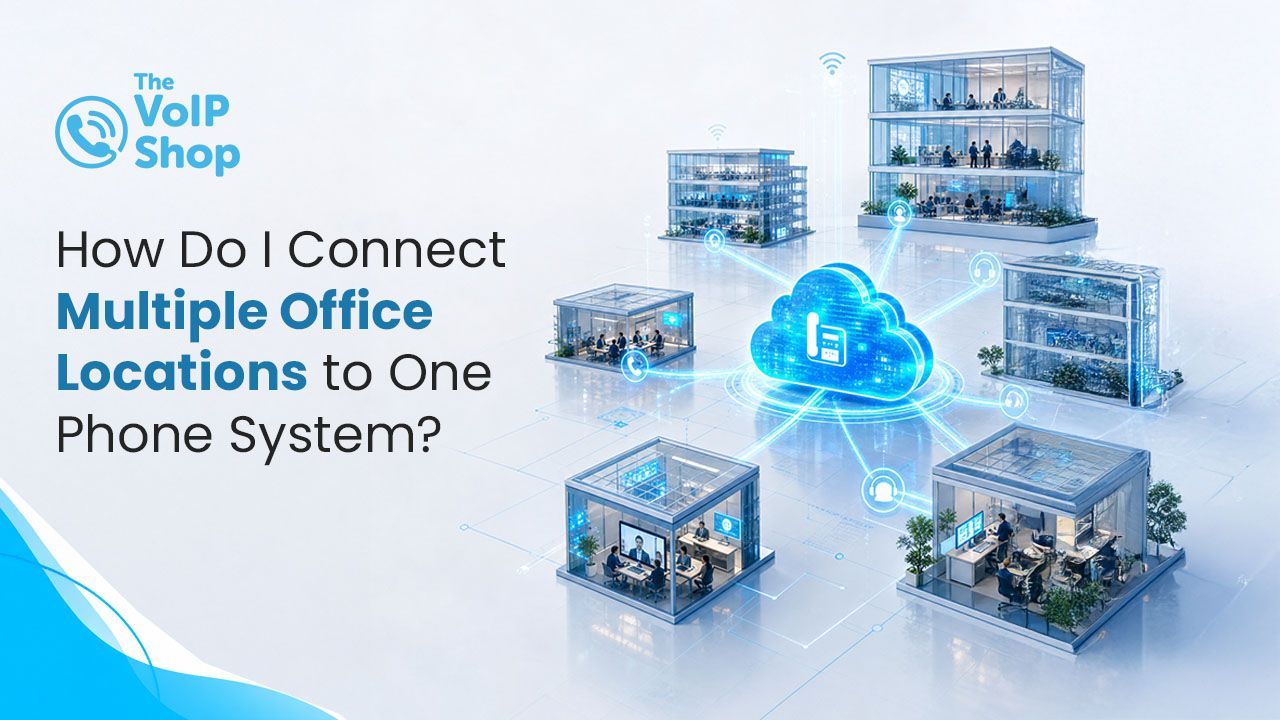
A cloud VoIP system connects every office, home worker and mobile staff member under one phone system, with internal calls between all locations completely free and everything managed from a single online portal. Most cloud phone systems require no hardware at each site beyond a broadband connection, and a single inbound number can route callers intelligently across every location.

About the Author
Why Doesn't Traditional Telephony Work Well for Multi-Site Businesses?
In the traditional telephone world, each office location typically had its own PBX hardware, its own ISDN or analogue lines, and its own monthly bill. Transferring a call between locations meant dialling an external number. There was no shared directory, no unified call reporting, and no way to see what was happening across the business as a whole.
This model is also becoming obsolete. The UK's PSTN (Public Switched Telephone Network) is being switched off in January 2027, so every business will need to move to VoIP regardless. For multi-site businesses, the practical move is to consolidate at the same time as migrating. See our Big Switch Off guide for the full picture.
How Does Cloud VoIP Connect Multiple Sites?
A cloud-hosted VoIP system does not live in any physical location. It runs from secure cloud data centres, and every device that connects to it, wherever it is, becomes part of the same system.
This means:
- Internal calls between any locations are completely free.
- A desk phone in your Manchester office and a desk phone in your London office are both extensions on the same system.
- A mobile app user working from home is on the same system as someone in the Bristol branch.
- Calls can be transferred between sites as easily as between desks.
- A single inbound number can ring agents across multiple locations simultaneously.
There is no additional hardware to install at each site, no ISDN lines to maintain, and no separate bills to manage. Each location simply needs a broadband connection.
Are Calls Between Office Locations Really Free?
Yes. One of the most immediate cost benefits of unifying multiple sites on one cloud VoIP system is that internal calls between locations become free. No matter how frequently your Manchester team calls your London team, those calls cost nothing.
With four-digit extension dialling, any staff member can reach any colleague at any location by simply dialling their extension number, with no external numbers or long dial strings. The company directory shows every extension across every site, with presence indicators so you can see if someone is available before calling.
How Does One Business Number Route Callers Across Multiple Sites?
| Routing Tool | Description |
|---|---|
| Auto Attendant (IVR) | A professionally recorded menu greets callers, for example: "Press 1 for our Birmingham office, Press 2 for Leeds, Press 3 for customer service." Callers are routed to the correct location without needing separate numbers. |
| Hunt groups and ring groups | For businesses that want calls answered by the first available agent regardless of location, ring groups can span multiple sites. A call coming into your main number rings agents in London and Manchester simultaneously, and whoever picks up first handles the call. |
| Geographic numbers | Many VoIP providers can supply local geographic numbers for each location, so your Birmingham office has a 0121 number and your London office has a 020 number, all feeding into the same underlying phone system. Customers get the reassurance of a local number, and you get the simplicity of one platform. |
Can Everything Be Managed From One Portal?
Yes. With multiple sites on one cloud VoIP system, management is centralised. From a single online portal, your IT team or office manager can:
- Add, remove or reconfigure extensions at any location.
- Update call routing rules for any site.
- View call reports and analytics across all locations.
- Listen to call recordings from any extension on the system.
- Monitor live call queues and agent availability across the whole business.
- Make real-time changes to routing, for example if a site has a power cut.
This kind of central visibility and control was simply not possible with traditional multi-site telephony.
What Happens If One Site Loses Internet or Power?
Cloud VoIP has built-in resilience across multiple sites. Many providers host phone systems across multiple data centres in different locations, so in the unlikely event of a data centre issue, another can take over automatically.
At a site level, if your internet connection goes down at one location, calls can be automatically redirected to another site, to mobile apps, or to an out-of-hours message without any manual intervention. For businesses where phone availability is business-critical, this level of resilience is difficult to achieve with traditional hardware-based systems. For a full continuity picture, see our power cut guide.
What Broadband Do I Need at Each Location?
Each location on your VoIP system needs a reliable internet connection. Common options include:
- Standard broadband. Suitable for smaller sites with lower call volumes.
- Fibre broadband. Recommended for most business locations.
- SOGEA (Single Order Generic Ethernet Access). Broadband-only fibre up to 80Mbps, available where fibre-to-the-cabinet infrastructure has been deployed.
- Ethernet leased lines. Dedicated symmetrical connections for sites with high call volumes or where maximum reliability is essential.
- Many businesses source both connectivity and telephony from the same provider to simplify billing, support and ongoing management.
Why Should Multi-Site Businesses Plan Their Migration Now?
The UK's traditional telephone network, ISDN and PSTN, is being permanently switched off in January 2027. Any business still running on legacy lines at that point will face significant disruption. Multi-site businesses with complex legacy setups face the biggest risk if they leave migration too late.
A reputable VoIP provider can typically manage number porting, system configuration, deployment and user training to help ensure a smooth transition with minimal disruption. Out of hours during migration, and beyond, our after-hours and weekend call routing guide shows how to keep multi-site calls flowing through the transition.
What Should I Check Before Choosing a Provider?
Most cloud VoIP systems support multi-site setups, but the depth varies. Key things to check:
- Are internal calls between all locations included as standard?
- Can each site have its own local geographic number feeding into the same system?
- Is centralised management across all sites included in the online portal?
- Are ring groups and Auto Attendant menus available for cross-site routing?
- Is the system hosted across multiple data centres for resilience?
- Can the provider also supply broadband, fibre or leased lines to simplify billing?
Final Thoughts
Connecting multiple office locations to one phone system is one of the strongest practical arguments for moving to cloud VoIP. Free internal calls, one number that routes intelligently, four-digit dialling between sites, and a single portal to manage the whole business. For multi-site organisations facing the January 2027 PSTN switch-off, doing the migration and the consolidation at the same time is the pragmatic path. The VoIP Shop connects multi-site UK businesses on one cloud phone system, with number porting, deployment and user training as part of onboarding, backed by UK-based support.
Get in touch to plan connecting your office locations onto one phone system.
Written By | About the Author
Kully has over 15 years of experience in the VoIP and telecoms industry. Drawing on a background in telecoms sales and leadership, he provides expert, impartial advice on VoIP and cloud telephony solutions. As a lead author for The VoIP Shop, Kully helps businesses understand and adopt modern communication technologies