How to Achieve DfE-Compliant Broadband for UK Schools and Colleges?
DfE broadband standards set a clear benchmark for speed, security, and digital safety in every school and college across the UK. Unlike standard broadband, DfE-compliant connections ensure reliable full fibre performance, effortless compliance with safeguarding, and seamless access to online learning. At The VoIP Shop, we simplify these standards and help you achieve modern, future-ready connectivity.
Ready to upgrade to broadband that meets DfE standards for schools and colleges?
Key Takeaways
- DfE-Compliant Connectivity Defined Simply: Understand exactly what a DfE-compliant broadband solution looks like—full fibre, secure, and designed for the unique demands of UK schools and colleges. No jargon, just actionable information to help you achieve compliance.
- Why Upgrade to DfE Standards: Discover how high-speed, resilient broadband is essential for safeguarding, reliable online learning, digital exams, cloud solutions, and meeting Ofsted or KCSiE requirements. DfE-compliant internet isn’t just about speed—it’s about ensuring safe, future-proof digital environments for students and staff.
- How to Transform Your School’s Network: Get clear, step-by-step guidance on requirements, including minimum speeds (100Mbps+ for primaries, 1Gbps+ for secondaries), full fibre (FTTP/leased line), and robust resilience with a backup connection—so learning never stops.
- Making the Right Broadband Choice: Easily compare your current setup to DfE standards and identify where upgrades are needed. Learn what to look for in a broadband contract—from failover options to filtering and firewall standards—so your school or college remains compliant and secure.
- What to Do Next – Seamless Transition: Know how to check if DfE-grade fibre is available in your area, plan contract upgrades, and access support. Take your first step to government-compliant broadband—future-ready, reliable, and safeguarded.
What Are the DfE Broadband
Internet Standards?
The Department for Education (DfE) sets minimum, mandatory broadband benchmarks so every learning site can run cloud-first teaching, protect pupils online, and remain inspection-ready.
- Who must comply? All maintained schools, academies, free schools, special schools, pupil-referral units, sixth-form and FE colleges across the UK – including multi-academy-trust central offices.
- Core requirement – full fibre only: A connection delivered entirely over fibre-optic cable (FTTP or leased line). Copper services, such as ADSL or FTTC, do not meet the standard.
- Speed thresholds:
– Primary sites: minimum 100 Mbps download / 30 Mbps upload.
– Secondary schools & colleges: symmetrical 1 Gbps. - Resilience mandate: A secondary (backup) circuit with automatic fail-over to keep safeguarding filters, MIS, exams, and VoIP online during any outage.
- Safeguarding & security layer: Enterprise firewall plus web-filtering that meets “Keeping Children Safe in Education” logging and reporting rules.
These rules are detailed in the government guide “Broadband internet standards for schools and colleges” on GOV.UK. Meeting them is now a funding and inspection expectation, not a “nice-to-have.”
Why Are These Standards Important for Schools and Colleges?
The Department for Education’s broadband standards are mission-critical because they turn connectivity from a “nice to have” into a core pillar of teaching, safeguarding and strategic planning. Here’s why each requirement matters:
Supports digital learning & cloud-first strategies
High-speed, low-latency fibre lets pupils and staff access cloud MIS, Google Workspace, Microsoft 365, AI-powered learning apps and interactive content without glitches. Classrooms stay productive, and IT teams can retire creaking on-site servers.
Ensures safe, secure internet access (KCSiE compliance)
Enterprise-grade firewalls and web-filtering are baked into the standards, allowing schools to block harmful material, log user activity and meet the “Keeping Children Safe in Education” duty—all while giving teachers controlled freedom to unblock legitimate resources.
Enables VoIP, online assessments, video conferencing & virtual learning
Symmetrical bandwidth and rock-solid uptime let schools run VoIP phone systems, sit online exams, host hybrid lessons and deliver SEND support via video—without dropped calls or buffering.
Future-proofs infrastructure as demand grows
A full-fibre, gigabit-ready circuit can scale to 10 Gbps and beyond. Schools avoid costly re-installations as AR/VR tools, 8K media and AI workloads become everyday classroom staples.
Aligns with funding, audits & inspections
Meeting DfE benchmarks demonstrates prudent use of public money, strengthens Ofsted digital-safeguarding evidence and unlocks eligibility for government connectivity grants.
Strengthens digital safeguarding (filtering & firewall standards)
Mandatory secondary (backup) connections ensure safeguarding systems stay online during outages; granular filters and audit logs give Designated Safeguarding Leads the visibility they need to intervene early.
How Can Schools Meet the DfE Broadband Internet Standards?
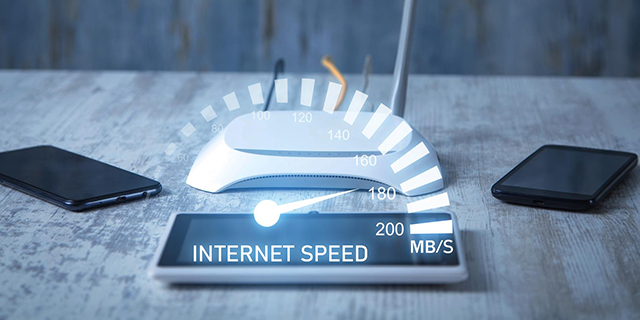
Meet the Minimum Speed Requirements
Every site must reach the speeds set by the Department for Education:
- Primary: ≥ 100 Mbps download / 30 Mbps upload.
- Secondary, all-through & FE: ≥ 1 Gbps symmetrical.
Run an online speed test during core teaching hours. If you fall short, log the results as evidence and begin procurement for higher-capacity service.

Upgrade to a Full Fibre Connection
The DfE standard insists on full-fibre (FTTP or leased line)—copper (ADSL/FTTC) is non-compliant.
- Check fibre availability with Openreach or an alt-net.
- Request a site survey and “light-level” test to confirm end-to-end fibre.
- Negotiate a scalable bearer (e.g., 1 Gbps port burstable to 10 Gbps) so you can increase bandwidth without digging new ducts.
Add Resilience and a Backup Connection
A single circuit is a single point of failure. DfE guidance recommends automatic fail-over:
- Order a second fibre or 5G circuit from a different carrier.
- Deploy an edge router with dual WAN ports and SLA-based failover.
- Test switchover termly to prove safeguarding filters, MIS, and VoIP stay live.

Enforce Filtering and Firewall Standards
KCSiE compliance demands layered protection:
- Install an enterprise firewall or managed secure gateway.
- Enable real-time content filtering that blocks illegal/harmful sites and logs user activity.
- Provide the Designated Safeguarding Lead with dashboard access and monthly reports.
- Review rules after any curriculum change or safeguarding incident.
Update Contracts & Begin Strategic Upgrade Planning
- Insert a “right-to-upgrade” clause so you can jump to higher speeds without penalty.
- Align contract end-dates for primary and backup lines to simplify renewals.
- Add KPIs for uptime (≥ 99.9%), time-to-fix, and filtering compliance.
- Build upgrades into the three-year digital strategy and budget forecast; include staff training and internal cabling refresh (Cat 6 or better).

Frequently Asked Questions About DfE Broadband
What is full fibre broadband and is it required?
Full fibre means the line is optical fibre all the way to your building—either FTTP or a dedicated leased line. The DfE standard makes this compulsory because copper-based services (ADSL, FTTC) can't deliver the speed, stability or upgrade path schools need.
Do all schools need 1Gbps internet?
Only secondary schools, all-through schools and colleges must have a minimum 1Gbps symmetrical connection. Primary schools must reach 100Mbps download / 30Mbps upload. However, primaries are encouraged to budget for gigabit speeds to stay future-ready.
Why do we need a backup internet connection?
A secondary line with automatic fail-over keeps safeguarding filters, cloud learning platforms, MIS access and online exams running if the primary circuit drops. Without it, an outage can halt teaching, breach safeguarding duty and delay assessments.
Is our website filtering system compliant with DfE policy?
A compliant filter must:
Block illegal or harmful content in real time
Log user activity for audit and safeguarding
Allow prompt unblocking for legitimate educational content
Be managed by staff with safeguarding training—usually the DSL or network lead
If your solution can't perform all four, upgrade or re-configure it.
Who is responsible for implementing these standards?
Responsibility sits with the school's governing body or trust board. Day-to-day delivery is overseen by the headteacher, ICT/network manager and Designated Safeguarding Lead, often supported by an external IT partner.
How can we confirm fibre availability at our location?
Check Openreach and alternative-network rollout maps, then request an "on-net" check from potential providers. They will confirm if fibre ducts already reach your premises or quote for new build.
What funding options exist for upgrading to DfE-grade fibre?
Many local authorities offer capital grants; some trusts pool budgets for group contracts. Schools in rural areas can tap the UK Gigabit Voucher Scheme to offset installation charges.
Will moving to full fibre disrupt teaching?
Installation is usually out of hours. Your old circuit stays live until the new service passes acceptance testing. A well-planned switchover limits downtime to minutes.
Do we need new internal cabling once fibre is live?
Fibre only guarantees speed to the premises. Ensure internal switches and classroom cabling are at least Gigabit Ethernet (Cat 5e/6). Older 100Mbps hardware will bottleneck performance.
How often should we review our filtering and firewall settings?
The DfE recommends a minimum annual review, plus an immediate check after any safeguarding incident, major software update or curriculum change that introduces new online resources.