Call Centre Technology
Call Centre Technology: A Complete Guide to Modern Call Centres

Call centre technology is the software and equipment that helps a team handle customer calls quickly and consistently. It covers phone lines, call routing, automated menus, recording, reporting and the link to your customer data. Get it right and callers reach the right person for the first time. Get it wrong and they queue, repeat themselves and give up.
The timing matters for UK businesses.
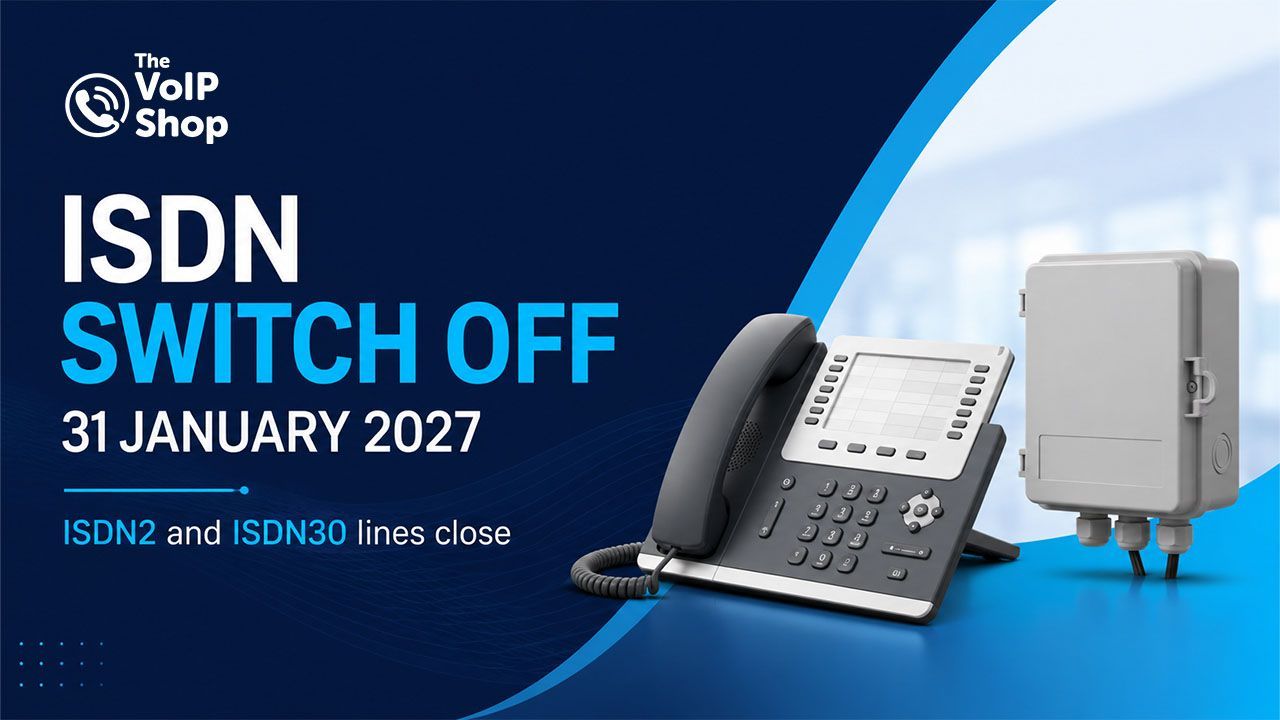
The UK's traditional Public Switched Telephone Network (PSTN) and ISDN phone networks are being retired, with the
PSTN switch-off taking place on 31 January 2027. Businesses still using ISDN or analogue phone services need to plan their migration to a digital alternative. Many teams are using the deadline to bring in cloud calling, better reporting and AI at the same time. This guide explains what call centre technology includes, what it does for your business, how to modernise and how to choose a system that fits.
Key Takeaways
- Call centre technology covers cloud calling, IVR, call routing, recording, reporting and CRM integration.
- The PSTN closes on 31 January 2027, so any ISDN or analogue lines need a migration plan now.
- Audit your lines first, then move to cloud calling in stages so calls keep flowing.
- Recording calls means handling personal data, so UK GDPR applies. Card payments by phone bring PCI DSS into play as well.
- Cloud calling can improve flexibility, remote working and call management without on-site phone system hardware.
What Is Call Centre Technology?
Call centre technology is any hardware or software that helps agents handle calls efficiently and helps managers see what is going on. That includes the phone system itself, the tools that route and answer calls, the software that records and reports on them, and the links to systems like your CRM.
A sales team taking 30 calls a day and a 200 seat support operation both use it, just at different scales. What separates a call centre from an ordinary office phone system is volume and control. Calls are queued, shared out by rules, measured and reviewed.
You will also hear the term contact centre. The terms overlap, but a call centre primarily handles voice calls, while a contact centre manages multiple channels such as voice, email, live chat and messaging. Many modern platforms support both, so the terms are sometimes used interchangeably.

Key Elements of Call Centre Technology
Modern call centre platforms commonly combine several core technologies. The exact mix depends on the size of the operation, the channels you support and the level of automation you need.
Cloud Calling (VoIP)
Cloud calling, also called VoIP, sends calls over the internet instead of traditional phone lines. Agents log in from a desk phone, a computer or a mobile app, so a team can sit in one office or several. There's no phone exchange to look after, and adding a seat takes minutes rather than an engineer visit.
The alternative is an on-premises system, which sits in your building. You buy the hardware, maintain it and pay for every upgrade. A cloud system turns that into a monthly subscription and updates itself, which is how a
hosted phone system works.
Interactive Voice Response (IVR)
IVR answers the call and asks the caller to choose an option, by pressing a key or speaking. It can deal with simple requests itself, such as opening hours or an order status, and send everything else to the right team. That takes routine questions off your agents and shortens queues. Keep the menu short, because callers lose patience with long lists, and a well built
IVR system makes that easy to set up.
Automatic Call Distribution (ACD)
ACD decides which agent gets each call. The simplest rule sends it to whoever has been free longest. Skills based routing goes further and matches the caller to an agent with the right language, product knowledge or seniority. Good routing shortens waits and improves first call resolution, because the person who picks up can fix the problem. Queues, overflow and out of hours routing all run through ACD too.
CRM Integration
When your phone system talks to your CRM, the agent sees who's calling and what happened last time before they say hello. Call notes and logs save back to the customer record automatically. Callers stop repeating themselves and agents stop flicking between screens. We connect with platforms from HubSpot to Salesforce and Zendesk, and you can see the full list on our
CRM integration page.
Call Recording and Monitoring
Recording gives you a record of what was agreed and real examples for coaching. Depending on the platform, live monitoring lets a supervisor listen in, send a private prompt to an agent, or join a tricky call. Reports then show the numbers that matter: call volumes, answer rates, wait times and missed calls nobody has returned. Find out more about
call recording and
advanced call reporting.
Omnichannel Communication
Customers don't think in channels. They might email on Monday, ring on Tuesday and message on Wednesday, and expect you to remember all three. Omnichannel tools pull every conversation into one thread, so the agent sees the full history whichever route the customer took. It matters most as you add email and chat.
Workforce Management
Call volumes are never flat. Workforce management tools use past call data to forecast busy periods, build rotas to match and show in real time who's on a call, on a break or free. The result is fewer idle agents on a quiet Tuesday and fewer abandoned calls at 9am on a Monday. Live wallboards let supervisors react within minutes instead of finding out from tomorrow's report.

Benefits of Call Centre Technology
Better customer experience. Shorter waits, the right person on the first attempt and no repeating details.
Higher agent productivity. Automatic call logging and caller details on screen mean agents spend their time talking to people, not typing or searching.
Smarter call management. Queues, callbacks and out of hours routing stop calls falling through gaps, and live data lets you fix problems as they happen.
Support for remote and hybrid teams. Cloud systems work anywhere with a decent internet connection, so home based agents get the same features as those in the office and managers see everyone in one place, even with a remote working phone setup.
Better agent performance. Recordings and call scores make coaching specific. "Listen to this call" beats "be friendlier". New starters also learn faster from real examples.
How to Modernise Your Call Centre
Modernising doesn't mean ripping everything out at once. The best projects run in stages and keep calls flowing.
1
Start with an audit. List every phone line and its type (analogue, ISDN2 or ISDN30), your phone exchange, your handsets and any equipment tied to a line, such as card machines, alarms and door entry. Then note what your team complains about: dropped calls, no reporting, no remote access. Those complaints show where an upgrade will pay back first. Our
ISDN to VoIP migration guide walks through the audit step by step.
2
Check your broadband capacity first. As a rough guide, allow around 100 kbps per concurrent VoIP call. Run the new system alongside the old one, test call routes on temporary numbers, then port your existing numbers. Switch off the old lines only after the new system is fully tested to minimise disruption.
3
Once calls are in the cloud, connect them to the tools your team already uses. Start with the tool your agents use most, and even a basic screen pop with the caller's name and history saves time on every call.
4
Look at how calls are handled today. Are callers routed sensibly? Are simple queries tying up your queues? Fix the routing first, add callbacks so nobody sits on hold, and bring in voice AI once the basics are running well.
GDPR, Call Recording and UK Compliance
Recording calls means handling personal data, so UK GDPR applies. Tell callers they're being recorded, usually with a short message at the start. Have a clear reason for recording, keep recordings only as long as you need them, limit who can listen and store them securely. The ICO publishes guidance on monitoring workers, which covers call monitoring, and it's worth reading before you switch anything on.
If agents take card payments by phone, PCI DSS rules apply as well. Depending on your setup, one option is to pause the recording while card details are read out. Another option is to use a PCI DSS-compliant solution such as our PCI compliant call recording. Check with your payment provider which approach suits you. Regulated sectors like finance and healthcare may have extra rules, so check with your compliance lead.
How AI Is Changing Call Centre Technology
AI is increasingly being built into call centre platforms. Used well, it takes repetitive work off agents and helps them during calls. Used badly, it frustrates callers. The difference is whether a real person is easy to reach when it matters.
- AI-powered call handling. An AI voice agent can answer the phone, understand what the caller wants in their own words, and either sort it out or pass the call to the right team. For some businesses, it can replace or reduce reliance on traditional "press 1" menus.
- Virtual assistants and automation. Assistants handle repeat requests such as booking an appointment, checking an order or resetting an account, at any hour. Automation also writes up call notes so agents don't have to.
- Sentiment analysis. Depending on the platform, software reads tone and wording to flag callers who sound frustrated, so a supervisor can step in early. It also shows patterns across thousands of calls that no manager could spot by listening.
- Real time agent assistance. Live transcription and suggested answers from your knowledge base appear on the agent's screen while they talk. New starters get up to speed faster and experienced agents spend less time searching.
Start with one use case, measure the result and then extend it. For adoption trends and automation figures for 2026, see the AI call centre virtual assistant statistics report.
How to Choose the Right Call Centre Technology
Before you compare call centre software, work out what you actually need. These six checks keep the shortlist honest.
- Business requirements. Count your agents, split inbound from outbound, list the channels you use and note your peak times. Write down the must haves before you see a single demo.
- Scalability. Ask how fast you can add 20 seats for a seasonal peak, and whether you can remove them again without a penalty. Per-user pricing without long lock-ins keeps this flexible.
- Integrations. Confirm the system connects to your CRM and other tools, and ask whether the link is built in or needs custom work.
- Security. Look for encryption, sensible access controls and clear answers on where recordings and data are stored.
- Reporting and analytics. You need live wallboards for the day and historical reports for the trends. Our cloud call centre reporting tools work with both cloud and on-premises phone systems, if you'd rather keep what you have.
- Support. Check where support is based and when it's available. A fault at 8am on a Monday can't wait for another time zone to wake up.
Conclusion
Call centre technology has moved beyond traditional phone systems. Today, it means cloud calling, smart routing, reporting and AI that handles repetitive tasks while keeping an easy route to a real person. With the 31 January 2027 PSTN closure approaching, UK businesses should audit their current system and plan the move to cloud communications now.
Call Centre Technology FAQs
What types of call centre technology are there?
Do I need a call centre or a contact centre?
How can call centre technology improve customer service?
What hardware does a call centre need?
How does AI improve call centre operations?
Written By | About the Author
kullbant singh hothi has over 15 years of experience in the VoIP and telecoms industry. Drawing on a background in telecoms sales and leadership, he provides expert, impartial advice on VoIP and cloud telephony solutions. As a lead author for The VoIP Shop,
kullbant singh hothi
helps businesses understand and adopt modern communication technologies.