Yeastar Phone System for UK Businesses
The Yeastar P-Series is a business phone system (PBX) that runs in the cloud, on your own server or on an office appliance, from small teams up to 10,000 users. The VoIP Shop supplies, installs, hosts and supports Yeastar for UK businesses, with cloud systems on a private server in London.
- ✓ Cyber Essentials certified
- ✓ Cloud hosted in London
- ✓ 24/7 UK support
- ✓ Works with Microsoft Teams

Official Yeastar Solution Provider with Certified Technicians
The VoIP Shop is listed on Yeastar's partner directory as a UK Solution Provider, and our engineers hold the Yeastar Certified Technician (YSCT) qualification.
Yeastar Phone Systems We Have Installed
Schools, law firms and multi-site businesses running Yeastar with The VoIP Shop. Real numbers from each project.
➤ View All Case Studies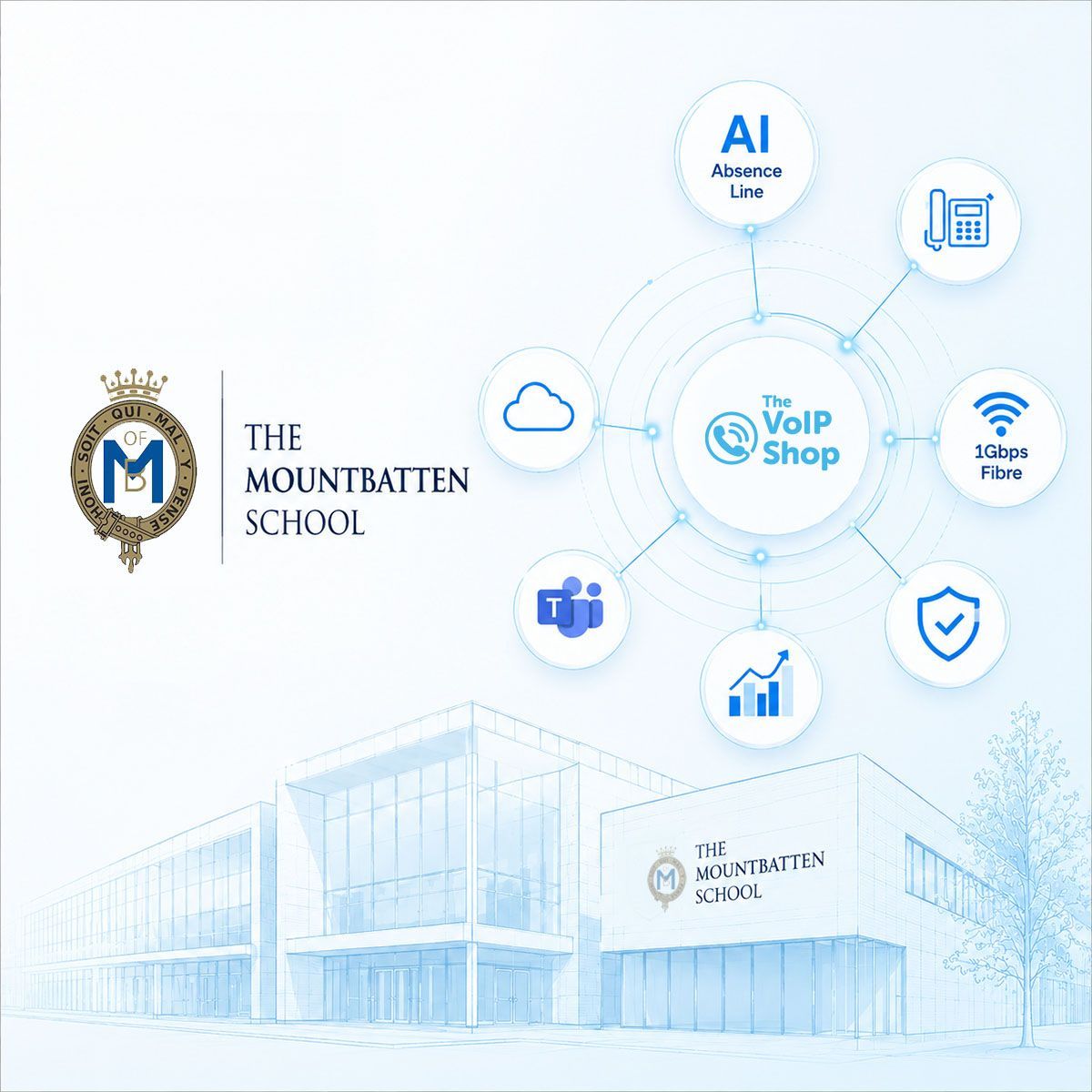 Education
Mountbatten School
97.5 hours saved a yearLegacy lines replaced with a Yeastar cloud phone system, Microsoft Teams integration, a 1Gbps leased line and an AI absence line linked to the school MIS.
Read the Mountbatten School case study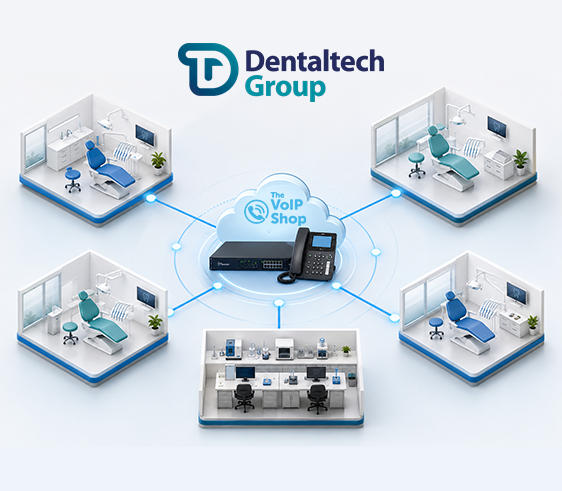 Dental technology
Dental Tech
Up to 75% lower costsFive sites unified on one fully managed Yeastar phone system, with multi site call routing and no downtime during the move.
Read the Dental Tech case study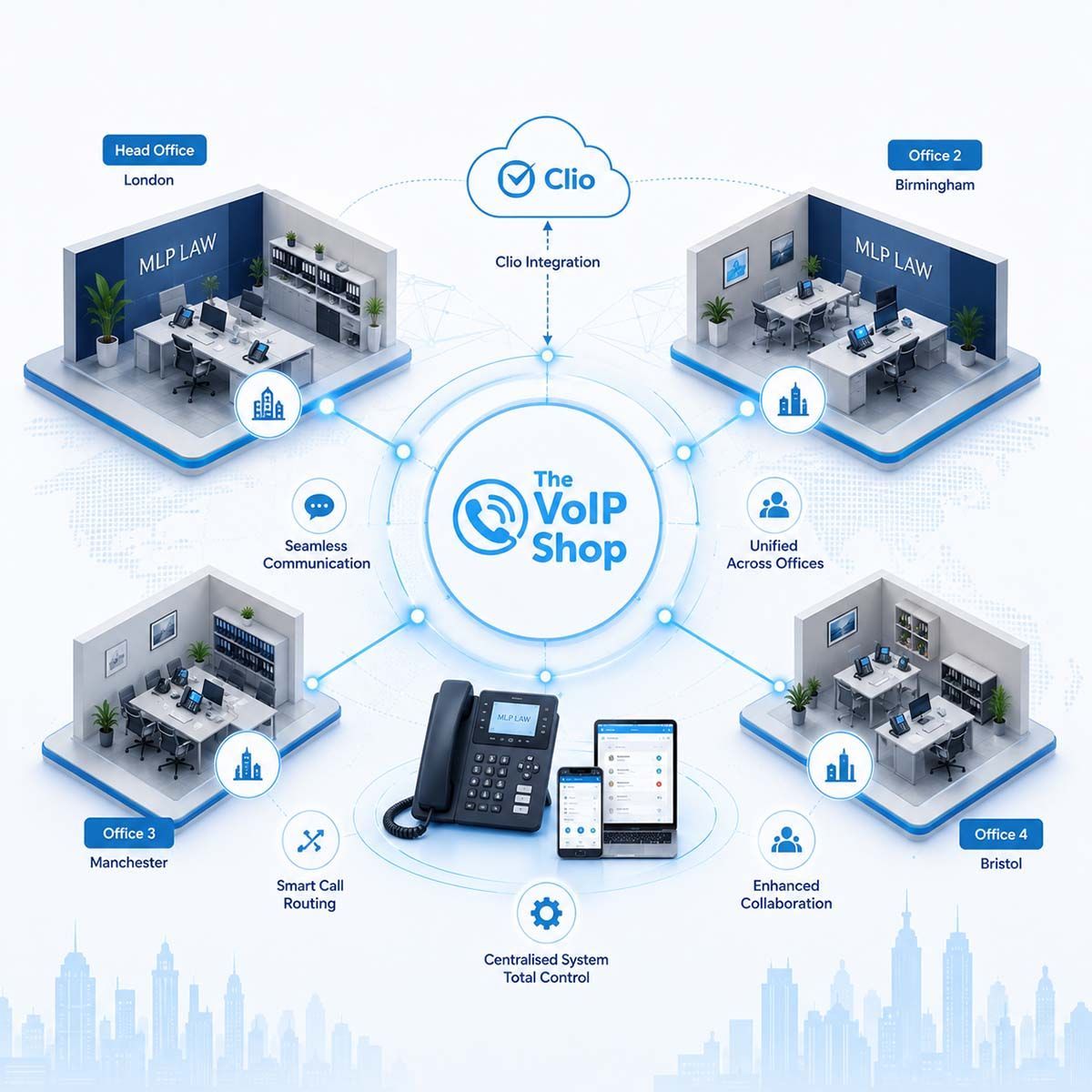 Legal
Legal
MLP Law
26 users, 4 officesYeastar Cloud PBX connected to Clio, with click to call, caller pop ups and AI call summaries for the whole team.
Read the MLP Law case study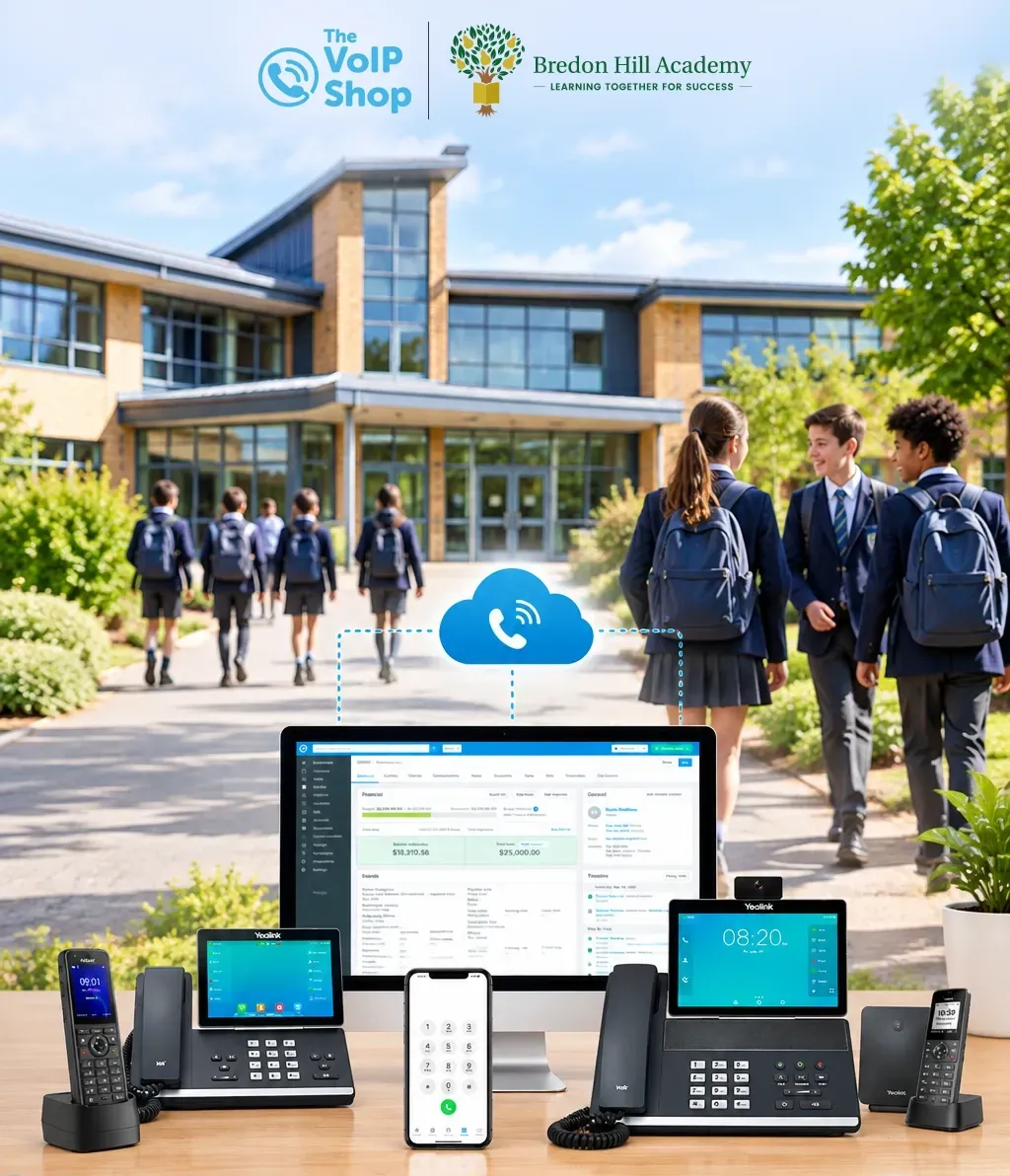 Education
Bredon Hill Academy
30%+ lower telecoms costsMoved to a Yeastar cloud phone system, kept its 44 existing Yealink handsets and its main school number.
Read the Bredon Hill Academy case study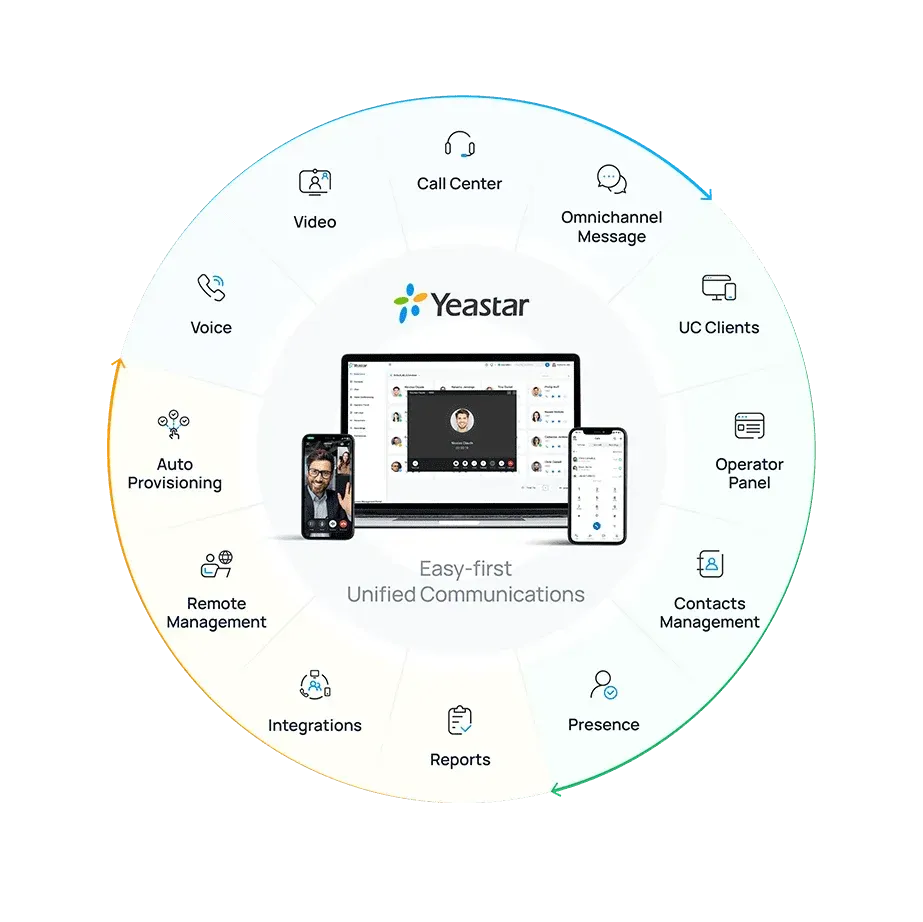
What is the Yeastar P-Series phone system?
Yeastar P-Series is a unified communications telephone system. It puts calls, video meetings, team chat, a call centre and customer messaging in one place, and your staff use it from a desk phone, a computer or a mobile, in the office or at home.
It comes in three editions: Cloud, Software and Appliance. Each one is set up, installed and supported by our UK team.
An AI powered phone system that works while you talk
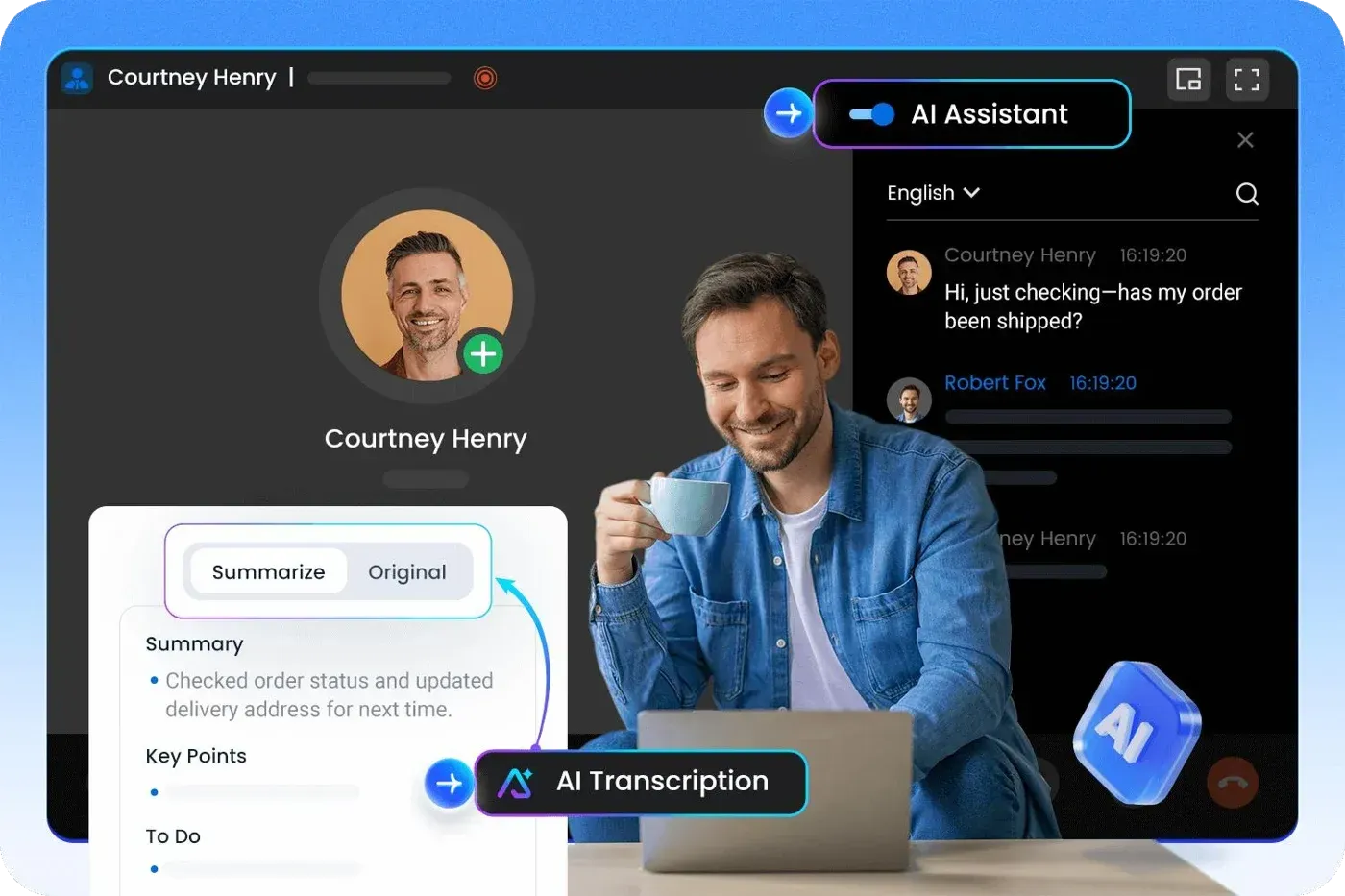
Yeastar turns calls and voicemails into text, summaries and actions, so your team spends less time taking notes and more time with customers.
Call transcription and AI summaries
- Real time transcription. Live speech to text during the call, for an accurate record of every conversation.
- AI summaries. Key points, notes and actions for every call, so nothing gets missed.
- Searchable call log. Find and review what was said, straight from the call history.
Voicemails you can read
- AI voicemail transcription. Voicemails turn into readable text as soon as they are left.
- Delivered where you work. Read them in the Linkus web, desktop and mobile apps, or by email.
- Faster replies. Scan messages in seconds, with no need to listen.
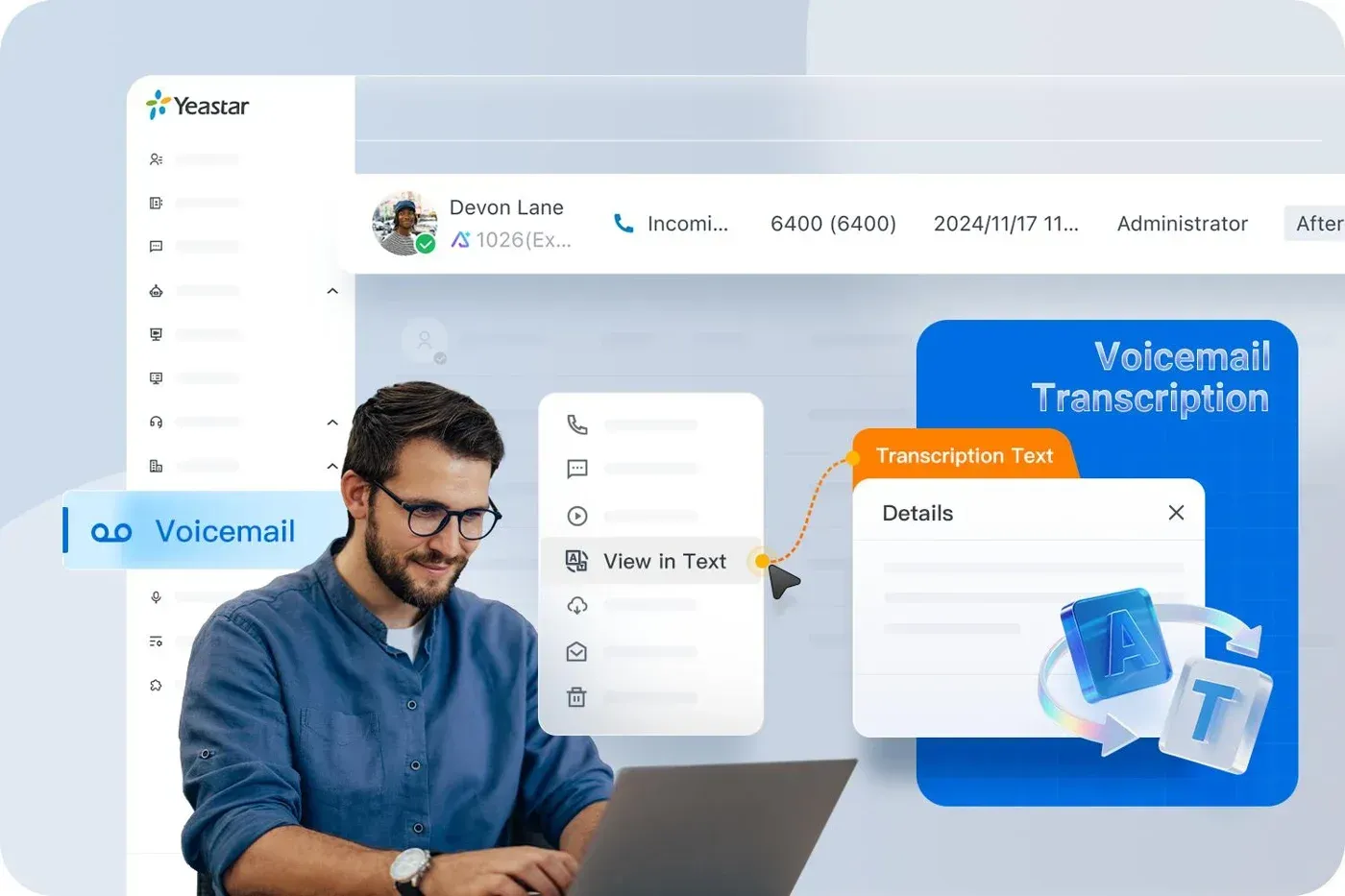
Lifelike voice greetings
Type a greeting and text to speech turns it into a natural sounding voice prompt for your menus and queues. No studio recording needed.

AI transcription includes 120 free minutes on the Enterprise plan and 240 on Ultimate. Extra minutes are available as a monthly pack.
Everything your team needs, in one simple system
The P-Series includes more than 100 business features as standard, from call routing and IVR to call recording and a visual operator panel.
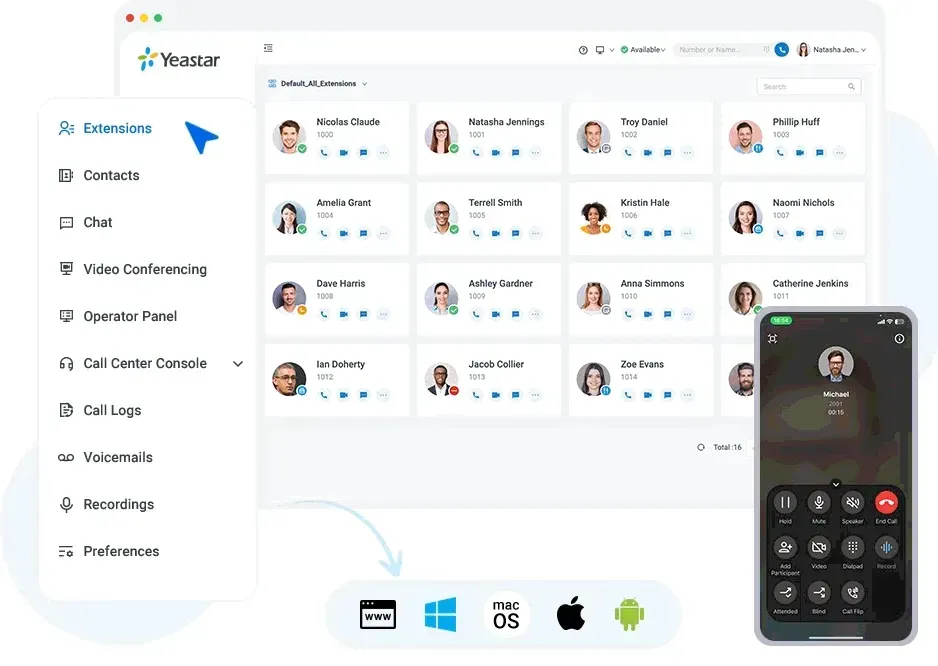
Linkus apps: one app on every device
Call, chat and message from the web, Windows, macOS, iOS, Android or the Chrome extension. Flip a live call from your desk to your mobile, check voicemail, listen to recordings and find any contact in one place.
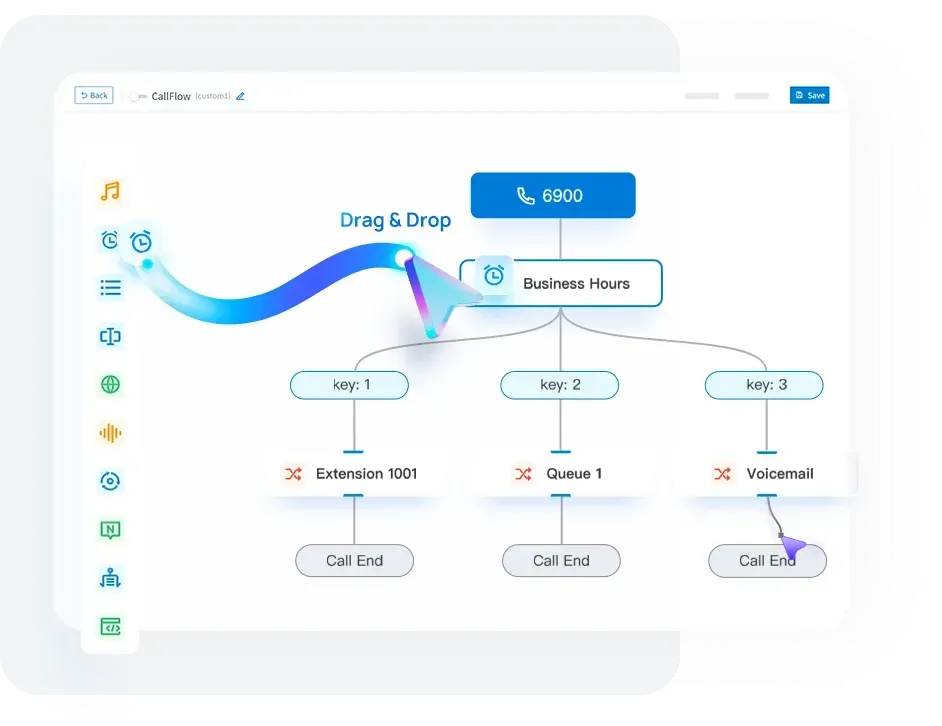
Call Flow Designer
Build your call routing with a visual drag and drop tool, with no coding. Route calls by time of day, caller input, language or CRM data, check callers against a database, and start from ready made templates.
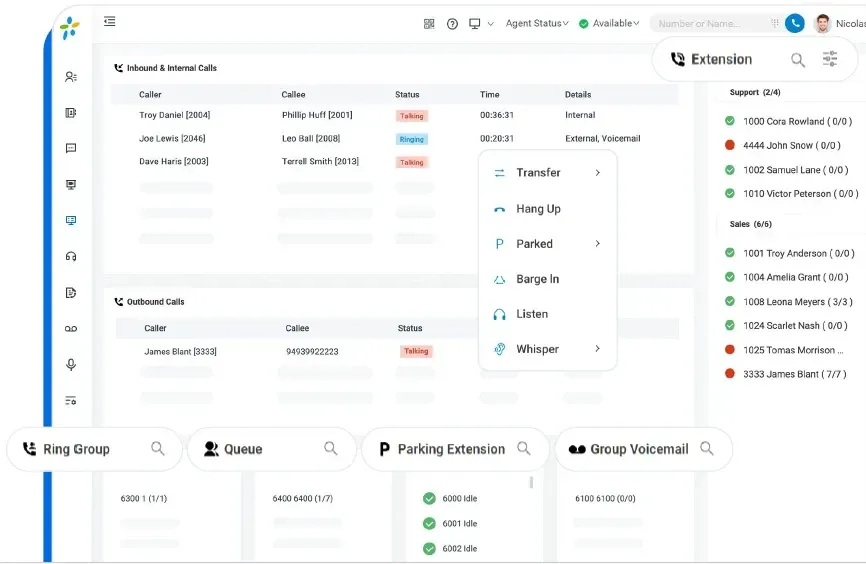
Call Operator Panel
A live view of every call in your business, built for receptionists and supervisors.
- Inbound and outbound calls in one view
- Live status of every extension, queue and ring group
- Drag and drop calls to the right person
- Transfer, park, listen, whisper and barge in with a click
Video meetings and team chat
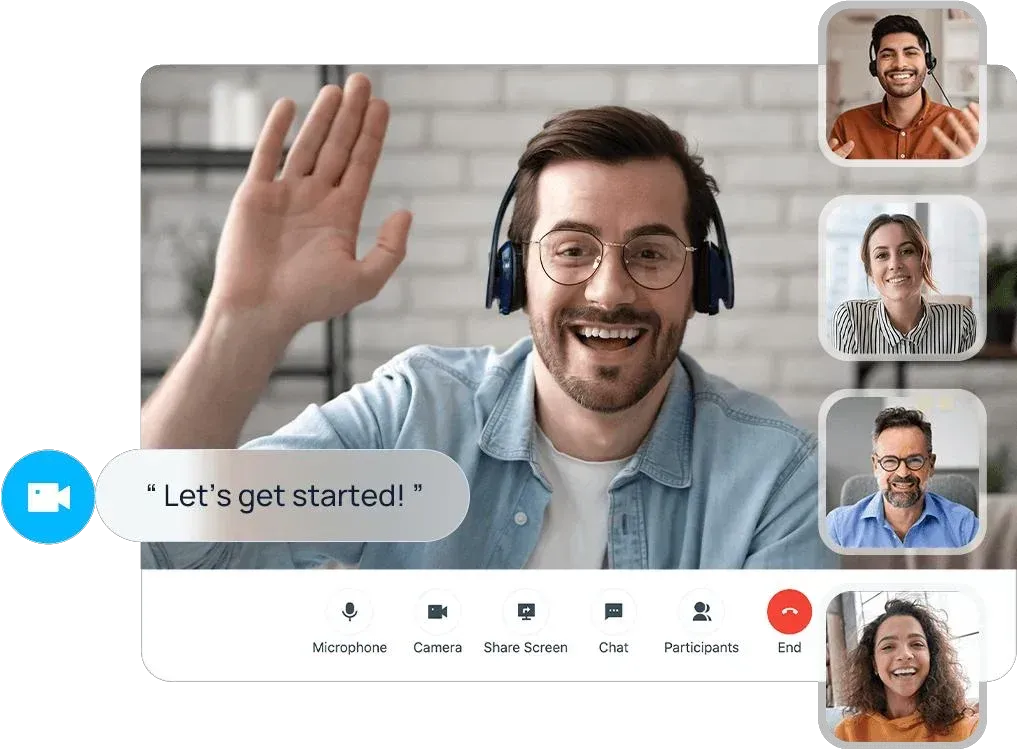
HD video meetings in the browser with screen sharing and in meeting chat, and one tap to turn a call into a video call. Team chat and colour coded presence come on every plan.
Easy call control
IVR, transfer, hold, park, pickup and call recording, with routing by number, time or presence. Control your desk phone from your computer with Linkus.
Work from anywhere
Secure remote access for home workers, branch offices and remote desk phones, with one number and the same features as the office.
A call centre built into your phone system
Queues, wallboards, agent coaching, queue callbacks and reports come with the phone system, so there is no separate contact centre platform to buy.
- Skill based routing and queue callback
- Listen, whisper and barge in coaching
- PCI compliant call recording
- Post call surveys
- Screen pop and call notes
- Real time and historical reports
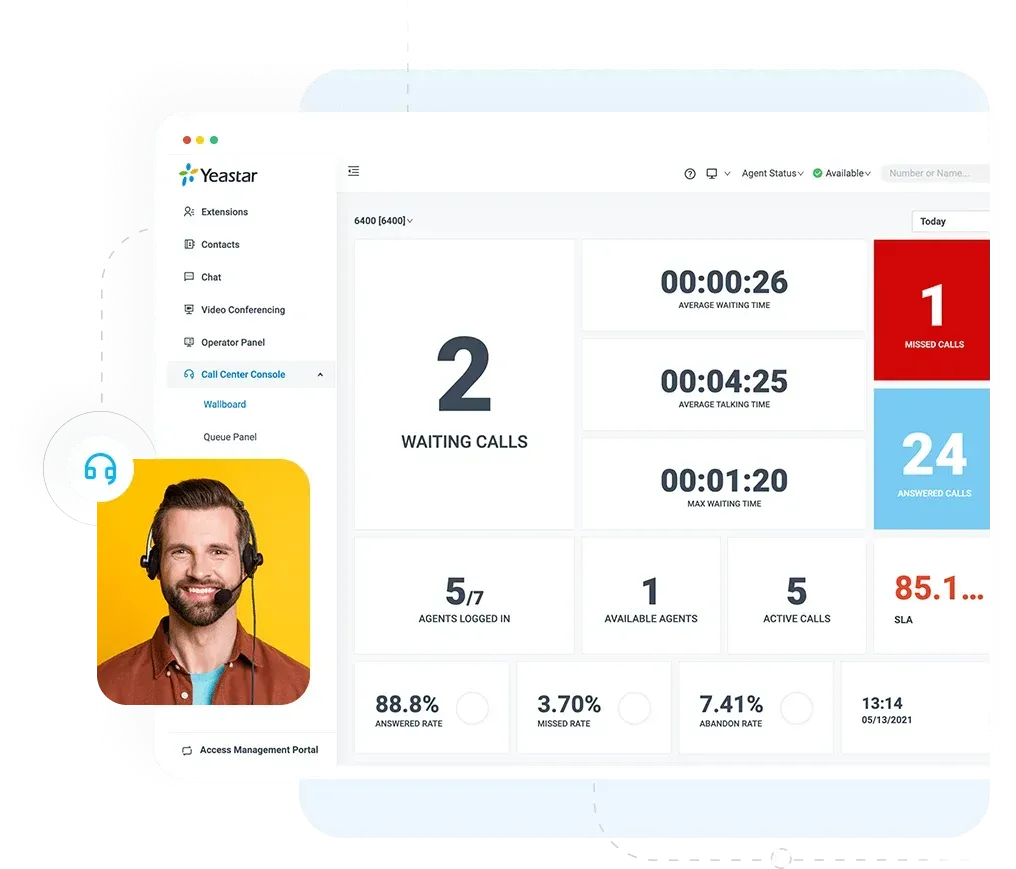
Wallboards and SLA alerts
17 live KPIs including SLA, missed rate and calls waiting, with alerts when a threshold is hit.
Queue panel
Log agents in and out, drag queued calls to agents and track missed call follow up.
Queue callback
Callers can ask for a callback instead of waiting on hold, and keep their place in the queue.
Agent coaching
Supervisors listen in, whisper to agents or join live calls, straight from the queue panel.
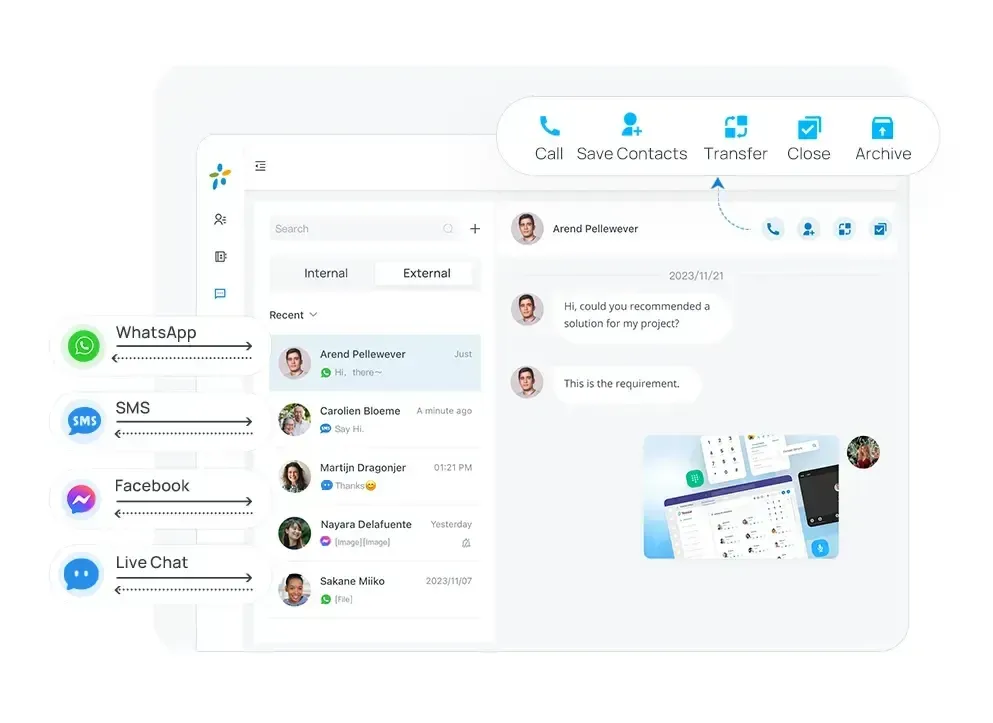
Live chat, WhatsApp, SMS and Facebook in one inbox
Send, receive and manage every customer message in the Linkus apps, alongside your calls. Teams can share a message queue, and every chat is matched to the right contact.
Yeastar integrations: Microsoft Teams, CRMs and helpdesks
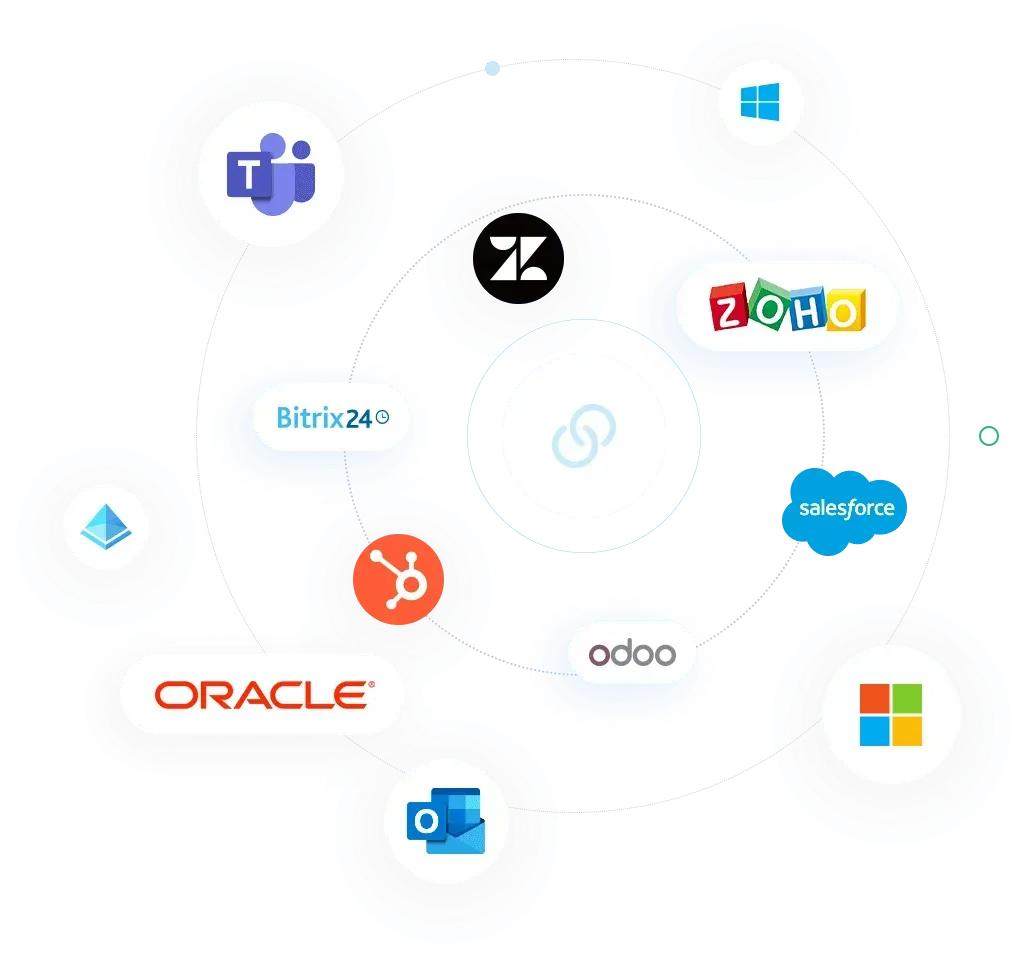
Ready made integrations for Microsoft 365, the leading CRMs and helpdesks, hotel systems and databases. Where there is no ready made option, our in house developers build a custom integration through the open API.
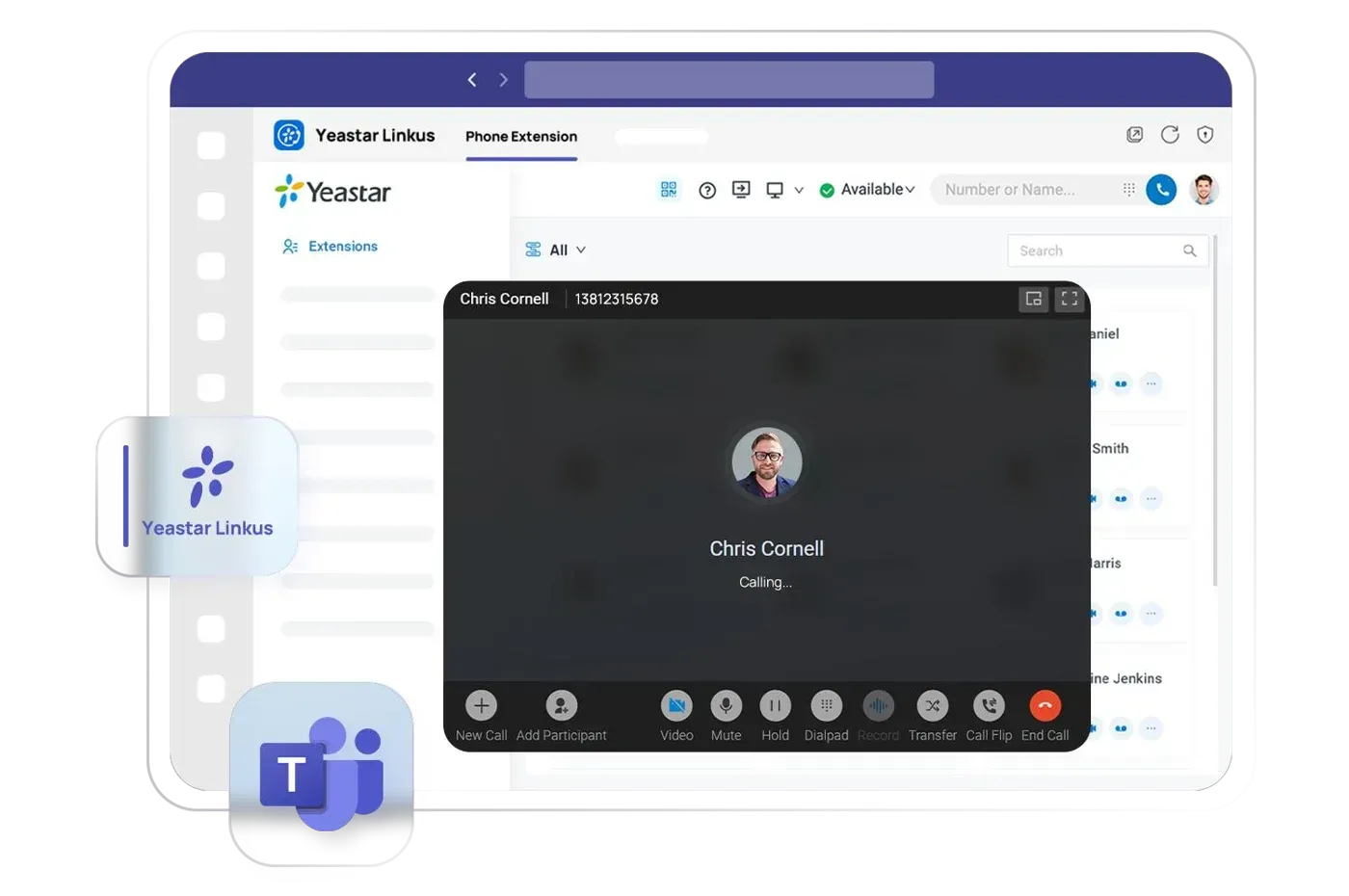 Enterprise and Ultimate plans
Microsoft Teams and Microsoft 365
A free Teams app puts the full phone system inside Teams, with no Teams Phone licence needed, from Microsoft 365 Business Basic. Click to call and call pop ups in Outlook, plus single sign on and user sync with Microsoft Entra ID.
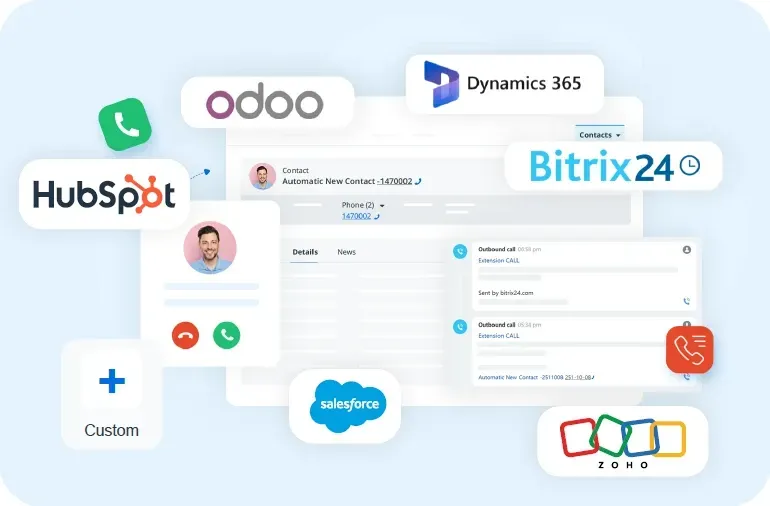 Enterprise and Ultimate plans
CRM integration
Ready made integrations with Dynamics 365, Salesforce, HubSpot, Zoho, Bitrix24 and Odoo, plus custom integration for your own CRM.
- Click to call and call pop ups
- Contact sync and call journaling
- New contacts created for unknown callers
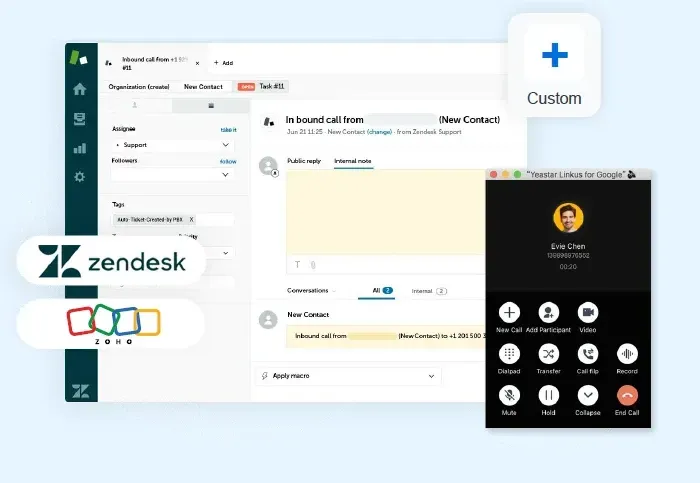 Enterprise and Ultimate plans
Helpdesk integration
Close support tickets faster with call automation for Zendesk and other helpdesks.
- New tickets and contacts created from calls
- Helpdesk contact sync and call journaling
- Template to link any other helpdesk
 Linkus SDK on the Ultimate plan
Open API and Linkus SDK
APIs for configuration, call control and event notifications, and SDKs for web, iOS, Android, Windows and macOS to add calling to your own apps, CRMs, software platforms and ERP systems.
Connect any CRM or helpdesk with an integration template
Define the endpoints, data fields and actions your integration needs in a simple template, and the phone system does the rest.
- REST requests with OAuth2 and API key sign in
- Contact sync, call pop ups and new contact creation
- Call and chat journaling, with recording links
- Ticket creation for helpdesk systems
Secure by design. Hosted in London.
Cloud Edition customers get their own dedicated private server in a London data centre, set up and managed by our team. Yeastar has no access unless we grant it.
Encrypted calls
SRTP and TLS encryption for voice and signalling.
Two factor sign in
App or email codes for the admin portal and Linkus apps.
Anti hacking blocklist
A shared network of Yeastar systems blocks known malicious IP addresses automatically.
Fraud protection
Limits on outbound calls by country, time, frequency and number of calls at once.
Hot standby
A synchronised standby system takes over if the main one fails.
Disaster recovery
Real time mirroring to a second server at another site, switching over within seconds.
Five layers of protection, built in
Every Yeastar system is protected from the core outwards: system security, a contingency plan, then network, endpoint and outbound call security.
Endpoint security
- Account lockout
- Registration credentials
- Concurrent registration limits
- User agent restrictions
- IP address restrictions
- Remote registration control
- Account lockout
- Single sign on
- Two factor authentication
- QR code and link login
- Password policy
- User roles
Outbound call security
- Outbound route permissions
- PIN codes
- Time conditions
- Country and region limits
- Phone number restrictions
- Call frequency, concurrency and duration limits
Network security
- No port forwarding needed
- Global anti hacking IP blocklist
- Country and region filtering
- Static and auto defence
Contingency plan
- Event notifications and logging
- Backup and restore
System security
- Firmware upgrades
- Option to disable SSH access
Yeastar P-Series PBX: three editions
Run Yeastar in the cloud, on your own server or on hardware in your office, and change as you grow.
Cloud Edition
A full cloud phone system for office, home and mobile workers. No hardware on site, quick to set up and easy to scale.
Hosted privately in London by The VoIP Shop
Software Edition
Runs on your own server or private cloud for full control, on VMware, Hyper-V, Proxmox, KVM or the major cloud platforms.
Up to 10,000 users and 1,000 calls at once
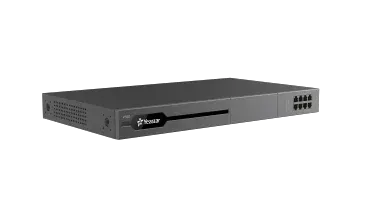
Appliance Edition
Plug and play hardware in your office, with modules to add analogue, ISDN, E1 and 4G lines as you need them.
Up to 500 users
Yeastar P520, P550, P560 and P570 compared
| Model | P520 | P550 | P560 | P570 |
|---|---|---|---|---|
| Users | 20 | 50 | 100 or 200 | 300, 400 or 500 |
| Calls at once | 10 | 25 | 30 or 60 | 60, 90 or 120 |
| FXS, FXO or BRI ports | Up to 4 | Up to 8 | Up to 8 | Up to 16 |
| E1, T1 or J1 | None | None | Up to 1 | Up to 2 |
| GSM, 3G or 4G | Up to 1 | Up to 4 | Up to 4 | Up to 6 |
| Storage | None | USB | USB and SATA SSD up to 2TB | USB and SATA SSD up to 2TB |
Specifications from Yeastar.
Which Yeastar setup is right for you?
Answer three quick questions and we will suggest the edition, hardware and plan to start from.
1. How many users do you have?
2. Where would you like it to run?
3. How do you handle calls?
Cloud Edition
A full cloud phone system on its own private server in London, set up and managed by The VoIP Shop.
Enterprise
Our recommended starting plan, with CRM and Microsoft 365 integrations, messaging and AI transcription.
- No hardware to buy or maintain
- Scales as your team grows
- 24/7 UK support
Yeastar plans compared: Standard, Enterprise and Ultimate
Every plan includes the Linkus apps, call recording, IVR, the operator panel and remote working. We recommend the right plan for how your team works.
Standard
The core phone system with 100+ features, the operator panel, a basic call centre and team chat. Available on the Appliance Edition only.
Get a Free QuoteEnterprise
Adds the advanced call centre, CRM, helpdesk and Microsoft 365 integrations, live chat, WhatsApp, SMS and Facebook messaging, and AI transcription.
Get a Free QuoteUltimate
Everything in Enterprise, plus Call Flow Designer, video calls and video meetings, Active Directory sync and the Linkus SDKs. Disaster recovery is an option on the Software Edition.
Get a Free Quote| Feature | Standard | Enterprise | Ultimate |
|---|---|---|---|
| Linkus apps, call recording, IVR, operator panel | ✓ | ✓ | ✓ |
| Team chat and remote access | ✓ | ✓ | ✓ |
| Skill based routing and queue callback | No | ✓ | ✓ |
| Queue panel, wallboards and SLA alerts | No | ✓ | ✓ |
| Live chat, WhatsApp, SMS and Facebook | No | ✓ | ✓ |
| CRM and helpdesk integration | No | ✓ | ✓ |
| Microsoft Teams, Outlook and Entra ID | No | ✓ | ✓ |
| AI call transcription and summaries | No | ✓ | ✓ |
| Voicemail transcription and text to speech | No | ✓ | ✓ |
| Call Flow Designer | No | No | ✓ |
| Video calls and video meetings | No | No | ✓ |
| Active Directory sync and Linkus SDKs | No | No | ✓ |
Plan features from Yeastar. Some features depend on the edition and model.
Your UK Yeastar specialists
Official Yeastar UK Solution Provider
Certified installation, configuration and training from a team that deploys Yeastar every week.
Private UK hosting
Your cloud system runs on its own dedicated server in London, managed by us.
In house AI and integration developers
We connect Yeastar to your CRM and business systems through its open API, including custom builds.
24/7 UK support
Support is open 24/7, every day. Sales lines are open Monday to Friday, 9am to 6pm.
Security first
Cyber Essentials certified, ICO registered and GDPR controlled, with £5m cyber insurance.
Clear costs
A tailored quote with clear pricing, flexible financing and no surprises.
Yeastar phone system questions
What is the Yeastar phone system?
Yeastar P-Series is a business phone system (PBX) used by more than 650,000 customers in over 120 countries. It combines calls, video, team chat, a call centre and customer messaging in one system, and runs in the cloud, on your own server or on an office appliance.
Who makes Yeastar?
Yeastar is a unified communications company with more than 650,000 customers in over 120 countries and over 9,000 channel partners. The VoIP Shop, based in Leicester, is listed on Yeastar's partner directory as a UK Solution Provider.
Where can I buy Yeastar in the UK?
The VoIP Shop is a Yeastar UK Solution Provider based in Leicester. We supply, install, host and support the Yeastar P-Series Cloud, Software and Appliance editions across the UK, with cloud systems on a private server in London.
Does Yeastar have AI features?
Yes. On the Enterprise and Ultimate plans you get real time call transcription, AI call summaries, AI voicemail transcription and text to speech voice prompts. Enterprise includes 120 free transcription minutes and Ultimate includes 240, with more available as a monthly pack. We can also add Agent AI Assist for live agent guidance.
What is the difference between the P550, P560 and P570?
They scale by users and call capacity. The P550 supports 50 users and 25 calls at once, the P560 up to 200 users and 60 calls, and the P570 up to 500 users and 120 calls. The P560 and P570 also add E1 and SSD storage options.
What deployment options are available for Yeastar P-Series?
There are three editions. The Cloud Edition needs no hardware on site, and The VoIP Shop hosts it on a private server in London. The Software Edition runs on your own server or private cloud, for up to 10,000 users. The Appliance Edition is hardware in your office, for up to 500 users.
Can I use Yeastar with Microsoft Teams?
Yes. On the Enterprise and Ultimate plans, Yeastar's free Teams app gives you a full phone system inside Teams, with no Teams Phone licence needed. It works from Microsoft 365 Business Basic upwards.
How much does a Yeastar phone system cost?
The price depends on the edition, the plan, the number of users and any hardware. The Standard plan is only available on the Appliance Edition. We give you a clear, tailored quote with no surprises.
Which phones work with Yeastar?
Yeastar automatically sets up more than 500 IP phone models from brands including Yealink, Fanvil, Snom, Grandstream, Cisco and Gigaset. Many customers keep their existing handsets. Bredon Hill Academy kept its 44 Yealink phones when it moved to Yeastar.
What integrations does Yeastar support?
Microsoft Teams, Outlook and Entra ID; CRMs including Dynamics 365, Salesforce, HubSpot, Zoho, Bitrix24 and Odoo; Zendesk and other helpdesks; Microsoft SQL and LDAP. These are on the Enterprise and Ultimate plans, and our developers can build custom integrations through the open API.
Where is my data hosted?
Cloud Edition customers get a dedicated private server in a London data centre, managed by our team. Yeastar has no access unless we grant it.
Does Yeastar support remote and hybrid working?
Yes. The Linkus apps turn any laptop or mobile into an office extension, with the same features as in the office and call flipping between devices.
Does Yeastar include call recording and call centre features?
Yes. Call recording comes on every plan. Queues, wallboards, SLA alerts, reporting and messaging are on the Enterprise and Ultimate plans.
Can the system grow with my business?
Yes. Appliances scale to 500 users, the Software Edition to 10,000 users, and the Cloud Edition scales as you need it. You can also move between plans as your needs change.
Ready to switch to Yeastar?
Speak to a Yeastar specialist for a free, tailored quote and a demo of the AI features.